Version 1.0.15 Latest
- Major bug fixes
- New 4K providers added
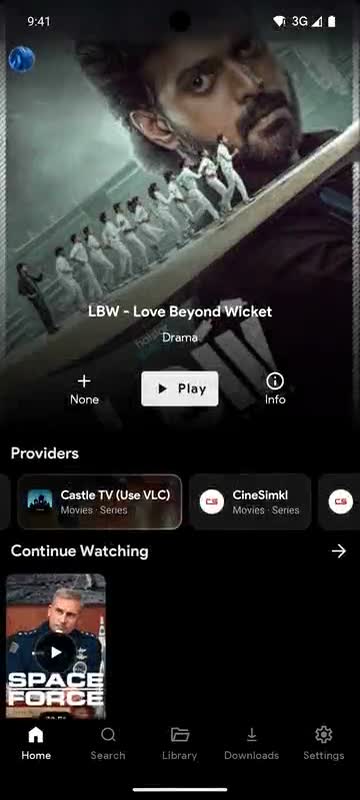
One clean app for movies, series, anime and live TV across hundreds of sources. No account, no sign-up, no personal data. Ever.
From first launch to your first episode, without a single form to fill.
Everything you expect from a premium streaming app, without the subscriptions or the tracking.
Search once and WaveStream looks across all your sources at the same time. If one is slow, switch with a tap.
Picks up exactly where you left off, and opens series on the latest season.
Save episodes for flights and commutes. Resume broken downloads.
Switch languages and subtitle tracks mid-play, with custom styling.
Your home screen loads from cache in under a second, even offline.
A remote-friendly interface for Android TV, Firestick and Google TV.
New versions arrive inside the app, verified before they install. No hunting for APKs.
Tap Download above. Your browser may ask to confirm. Choose Download anyway.
Open the file. Android will ask to allow installs from your browser. Turn it on once.
Tap Install, then Open. No account, no permissions wall.
 WaveStreamDo you want to install this app?
Choose a source from the home screen and start watching. The built-in tour shows you around.
Search for “Downloader” in your TV's app store and install it.
Open Downloader and type this code:
wavestream.lol/tvAllow Downloader to install apps when prompted, then press Install.
Open WaveStream from your apps row. Everything works with the remote.
A free app that runs Android apps on Windows and Mac. Install it like any other program.
Get BlueStacks ↗On your computer, download the WaveStream file from this page.
Download for PCWindows: double-click the downloaded file. Mac: drag it onto the BlueStacks window. It installs in seconds.
Open WaveStream from the BlueStacks home screen. It runs full screen, and new versions arrive inside the app.
Your data
stays yours.
We built WaveStream so there is nothing to leak. No accounts, no profiles and no third-party trackers. What you watch stays on your device.
No email, phone number or password. There is no login, so there is no profile to build.
Watch history, favourites and searches are stored only on your phone. We never receive them.
Every update is signed with our private key and checked by SHA-256 before installing. A modified file is rejected.
Updates arrive automatically inside the app.
Yes. Every release is signed with the same private key, and the app verifies each update's signature and SHA-256 checksum before installing.
WaveStream is distributed directly so updates reach you faster. Android shows a one-time prompt when installing apps from outside the Play Store. This is normal.
No. There is no sign-up or login of any kind. Open the app and start watching.
Yes. Install the free BlueStacks app on Windows or Mac, then open the WaveStream file with it. See the Windows / Mac tab in the install guide above.
Sources can occasionally be slow. Tap “Switch provider” on the error screen, or pick a different source from the home screen.
The app checks for updates automatically and installs them in a tap. You never need to visit this site again unless you want to.